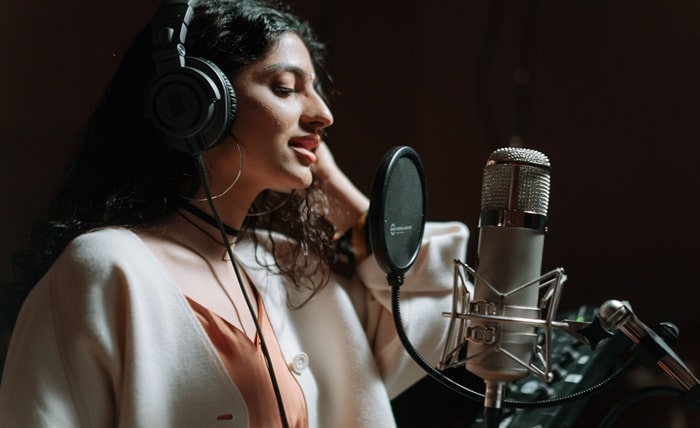
Not long ago, the idea of your voice performing a track you never sang was a studio trick reserved for major labels. Today it is something an ordinary person can try from a web browser on a quiet afternoon. Singing voice conversion, often loosely called voice cloning, has moved from research papers into consumer tools, and it is reshaping the way hobbyists, teachers and independent artists experiment with sound.
The technology sits inside a wider wave of creative audio software. Platforms such as Nafy, an AI music maker that also writes lyrics, separates vocals and rearranges tracks, now offer voice tools alongside song generation. That convenience raises practical questions. How does a voice model actually get built? What do you need to prepare? And where are the ethical lines? This explainer walks through each one.
Conversion, not composition
The first thing to understand is that singing voice conversion does not invent a new song. It takes a performance that already exists and changes who seems to be singing it. The melody, the timing and the phrasing of the original vocal stay in place. What shifts is the character of the voice: its timbre, its tone and the texture that makes one singer recognizable from another.
That distinction matters because it shapes how people use the tool. A songwriter might sing a rough guide vocal, then hear how the same line sounds in a different voice they have trained. A choir director could demonstrate a harmony part in a single consistent voice. A hobbyist might simply be curious how their own voice would handle a melody they cannot quite reach in real life.
How the process works, step by step
Nafy’s AI singing voice generator follows a two-stage workflow that is fairly typical of the category.
Stage one is training. First you provide a clean vocal recording of the singer to be modeled, lasting anywhere from ten seconds up to five minutes. WAV and FLAC are the preferred formats on the product page, though MP3 also works. The system studies pitch, timbre and tone, then builds a custom voice model. According to the product page, building the model typically takes five to fifteen minutes, and an alert lets you know once it is finished.
Stage two is conversion. Pick a voice model from your library, add a track with an audible singer, then press the Transform Vocals button. The original lead is replaced by the chosen voice, and the tune and timing of the performance are preserved. The target track can be an MP3, WAV, FLAC, OGG or M4A file, and MP3 or WAV is suggested. Each finished model stays in your account for repeated use across any number of tracks, so the training step only has to happen once per voice.
Getting a usable result
Like most audio software, voice conversion follows the old rule of garbage in, garbage out. Some simple habits improve results considerably:
- Record dry. Background music, reverb and effects confuse the model. A plain vocal recorded in a quiet room works far better than a polished mix.
- Mind the room. Soft furnishings absorb echo. Many home singers get their cleanest takes in a wardrobe or a small carpeted space.
- Sing with variety. A sample that covers low and high notes, soft and loud passages, gives the model more to learn from than a single repeated phrase.
- Choose a clear source song. The target track should have an audible lead vocal. If the singing is buried under heavy instruments, the converted voice will struggle too.
- Keep files within limits. The page lists a maximum of 150MB for songs and 120MB for training audio, which is generous for most use cases.
Studio recordings tend to give the best models, but the product notes that good home recordings can also work well, which puts the technology within reach of people without professional gear.
The consent question
Any technology that can imitate a human voice deserves careful handling. The simplest rule is this: model nobody but yourself unless the person whose voice it is has explicitly agreed. That includes friends and family members. A recording of a relative singing at a party is not an invitation to build a model of them.
Public figures deserve the same respect. Imitating a famous singer may be tempting, but it can mislead listeners and may infringe on personality or publicity rights depending on where you live. The source song raises its own issue as well: if a track is under copyright, sharing a converted version publicly may need a license from whoever owns it. For private practice and experimentation, keeping results on your own device is the safest approach.
Transparency helps too. If you post a converted performance online, say plainly that the vocal was produced with AI. Audiences are increasingly alert to synthetic media, and being upfront builds trust rather than eroding it.
Who is actually using this
Interest in singing voice tools spans a surprisingly wide group:
- Independent songwriters use their own trained voice to sketch demos without booking a session singer for every idea.
- Music teachers can illustrate how a melody changes in character when performed by a different timbre.
- Content creators experiment with performances of original songs that they wrote and own.
- Small bands let one member build a model from their personal recordings and test how it sits on a rehearsal recording before deciding who sings lead.
In each case, the person in control owns the voice being modeled or has explicit permission to use it.
What it will not replace
Voice conversion is impressive, but it does not make a great performance on its own. The emotion, breath control and phrasing still come from the source vocal. A flat, nervous take converted into a polished voice will still sound flat and nervous. That is why many musicians treat these tools as a rough notebook, not a final master: a quick way to hear an idea before investing time in a proper recording.
It is also worth remembering that a voice is personal. Creating a digital copy of how you sing can be fun and useful, but it is still data about you, so think about where you store your files and what you share.
The bottom line
Singing voice conversion has become accessible enough that anyone with a microphone and a little patience can try it. The workflow is straightforward: teach the system a clean vocal sample, choose a track that has singing on it, and convert the performance. Used thoughtfully, with consent and honesty about what is synthetic, it can be a playful creative outlet and a practical tool for people who make music. Used carelessly, it risks misleading listeners and disrespecting the people whose voices make songs worth hearing. As with most new technology, the outcome depends far more on the person at the keyboard than on the software itself.